
CCIE-MPLS基础篇-实验手册
又一部前期JUSTECH(南京捷式泰)工程师职业发展系列丛书完整拷贝。
MPLS(Multi-Protocol Label Switching)
目录
1:MPLS 基础实验.... 3
1.1实验拓扑... 3
1.2实验需求:... 3
1.3实验步骤... 3
1.4校验... 5
2:MPLS 转发地址实验.... 9
2.1 实验拓扑... 9
2.2 实验需求... 9
2.3 实验步骤... 9
2.4 校验... 12
2.5 思考题... 12
3:MPLS MTU 实验.... 13
3.1 配置方法:... 13
4:MPLS TTL 实验.... 13
4.1 实验拓扑... 13
4.2 实验需求... 13
4.3 配置步骤... 13
5:MPLS 出方向标签通告过滤实验.... 16
5.1 实验拓扑... 16
5.2 实验需求... 16
5.3 实验步骤... 16
6:MPLS 入方向标签通告过滤.... 20
6.1 实验拓扑... 21
6.2 实验需求... 21
6.4 校验... 22
7:MPLS 的LDP 认证实验.... 22
7.1 实验拓扑... 23
7.2 实验需求... 23
7.3 实验步骤... 23
7.4 校验... 23
1:MPLS 基础实验

1.3实验步骤
步骤1:完成基础配置
例如:接口的IP 地址,底层协议
此时管理员应该注意R2 与R4 是否通过BGP 学习到对方172及192路由,利用如下命令行查看:
R2#show ip bgp
BGP table version is 3, local router ID is 2.2.2.2
Status codes: s suppressed, d damped, h history, * valid, > best, i - internal,
r RIB-failure, S Stale
Origin codes: i - IGP, e - EGP, ? - incomplete
Network Next Hop Metric LocPrf Weight Path
*> 172.16.1.0/24 0.0.0.0 0 32768 i
*>i192.168.1.0 4.4.4.4 0 100 0 i
R2#show ip route bgp
B 192.168.1.0/24 [200/0] via 4.4.4.4, 00:00:55
R4#show ip bgp
BGP table version is 3, local router ID is 4.4.4.4
Status codes: s suppressed, d damped, h history, * valid, > best, i - internal,
r RIB-failure, S Stale
Origin codes: i - IGP, e - EGP, ? - incomplete
Network Next Hop Metric LocPrf Weight Path
*>i172.16.1.0/24 2.2.2.2 0 100 0 i
*> 192.168.1.0 0.0.0.0 0 32768 i
R4#show ip route bgp
172.16.0.0/24 is subnetted, 1 subnets
B 172.16.1.0 [200/0] via 2.2.2.2, 00:01:35
此时管理员是无法使得PC1 和PC2 通讯的,理由上R3 没有参与BGP 进程,所以当数据包丢给R3 时会出现丢包。
步骤2:配置MPLS
R2
Ip cef
Mpls label protocol ldp //设置标签分配分发协议为LDP
Mpls ldp router-id loopback 0 //设置当前LDP ROUTE-ID 为loopback 0 接口IP
Mpls label range 200 299 //设置当前LDP 标签分配时的取值范围
Interface e0/1
Mpls ip
R3
Ip cef
Mpls label protocol ldp //设置标签分配分发协议为LDP
Mpls ldp router-id loopback 0 //设置当前LDP ROUTE-ID 为loopback 0 接口IP
Mpls label range 300 399 //设置当前LDP 标签分配时的取值范围
Interface range e0/0 - 1
Mpls ip
R4
Ip cef
Mpls label protocol ldp //设置标签分配分发协议为LDP
Mpls ldp router-id loopback 0 //设置当前LDP ROUTE-ID 为loopback 0 接口IP
Mpls label range 400 499 //设置当前LDP 标签分配时的取值范围
Interface range e0/0
Mpls ip
假设管理员做完如上配置,应该看到控制台由如下信息提示管理员LDP 邻接关系建立完毕:
R3#
*Mar 1 00:23:46.699: %LDP-5-NBRCHG: LDP Neighbor 2.2.2.2:0 (1) is UP
R3#
*Mar 1 00:24:10.779: %LDP-5-NBRCHG: LDP Neighbor 4.4.4.4:0 (2) is UP
1.4校验
(1) 查看LDP 邻接关系发现
R3#show mpls ldp discovery //该命令行用于查看当前LSR是否通过LDP hello 消息发现LDP PEER
Local LDP Identifier: //本地LDP 的标示
3.3.3.3:0
Discovery Sources: //发现源:含义为什么接口接收了来自LDP PEER 的HELLO 消息,发现了PEER
Interfaces:
Ethernet0/0 (ldp): xmit/recv
LDP Id: 4.4.4.4:0; no host route //LDP peer 的标示,及标示的可达性信息
Ethernet0/1 (ldp): xmit/recv
LDP Id: 2.2.2.2:0; no host route
注意:
邻居发现时,LDP PEER ID 后面如果跟着上no host route ,是说当前LDP 设备没有抵达对端LDP ID 的主机路由。此时PEER 的ID 还是可达的。但是如果看到是no route ,那么基本意味着当前LDP 设备既没有抵达PEER ID 的网络路由也没有主机路由。
(2) 查看LDP 的邻接关系是否建立
R3#show mpls ldp neighbor //查看当前设备与LDP PEER 是否形成了LDP 邻接关系
Peer LDP Ident: 2.2.2.2:0; Local LDP Ident 3.3.3.3:0
TCP connection: 2.2.2.2.646 - 3.3.3.3.18578 //证明LDP 的TCP 连接已经建立
State: Oper; Msgs sent/rcvd: 19/20; Downstream //代表标签分发是基于下游主动(UD)
//state输出字段如果上oper那么是意味着邻接关系确认建立
Up time: 00:10:16
LDP discovery sources:
Ethernet0/1, Src IP addr: 31.31.23.2
Addresses bound to peer LDP Ident: //被限制地址
172.16.1.1 31.31.23.2 2.2.2.2
Peer LDP Ident: 4.4.4.4:0; Local LDP Ident 3.3.3.3:0
TCP connection: 4.4.4.4.12790 - 3.3.3.3.646
State: Oper; Msgs sent/rcvd: 19/20; Downstream
Up time: 00:09:52
LDP discovery sources:
Ethernet0/0, Src IP addr: 31.31.34.4
Addresses bound to peer LDP Ident:
31.31.34.4 192.168.1.1 4.4.4.4
(3) 查看MPLS 标签信息库(LIB)
R2#show mpls ldp binding
tib entry: 2.2.2.0/24, rev 2
local binding(本地标签): tag: imp-null(就是POP)
remote binding: tsr: 3.3.3.3:0, tag: 300
tib entry: 3.3.3.0/24, rev 4
local binding: tag: 200
remote binding: tsr: 3.3.3.3:0, tag: imp-null
tib entry: 4.4.4.0/24, rev 6
local binding: tag: 201
remote binding: tsr: 3.3.3.3:0, tag: 301
tib entry: 31.31.23.0/24, rev 10
local binding: tag: imp-null
remote binding: tsr: 3.3.3.3:0, tag: imp-null
tib entry: 31.31.34.0/24, rev 12
local binding: tag: 202
remote binding: tsr: 3.3.3.3:0, tag: imp-null
tib entry: 172.16.1.0/24, rev 8
local binding: tag: imp-null
R3#show mpls ldp bindings
tib entry: 2.2.2.0/24, rev 2
local binding: tag: 300
remote binding(LDP PEER 所分发过来的远程标签): tsr: 2.2.2.2:0(分发该标签的LDP PEER id), tag: imp-null(远端标签)
remote binding: tsr: 4.4.4.4:0, tag: 400
tib entry: 3.3.3.0/24, rev 4
local binding: tag: imp-null
remote binding: tsr: 2.2.2.2:0, tag: 200
remote binding: tsr: 4.4.4.4:0, tag: 401
tib entry: 4.4.4.0/24, rev 6
local binding: tag: 301
remote binding: tsr: 2.2.2.2:0, tag: 201
remote binding: tsr: 4.4.4.4:0, tag: imp-null
tib entry: 31.31.23.0/24, rev 8
local binding: tag: imp-null
remote binding: tsr: 2.2.2.2:0, tag: imp-null
remote binding: tsr: 4.4.4.4:0, tag: 402
tib entry: 31.31.34.0/24, rev 10
local binding: tag: imp-null
remote binding: tsr: 2.2.2.2:0, tag: 202
remote binding: tsr: 4.4.4.4:0, tag: imp-null
tib entry: 172.16.1.0/24, rev 11
remote binding: tsr: 2.2.2.2:0, tag: imp-null
tib entry: 192.168.1.0/24, rev 12
remote binding: tsr: 4.4.4.4:0, tag: imp-null
R4#show mpls ldp bindings
tib entry: 2.2.2.0/24, rev 2
local binding: tag: 400
remote binding: tsr: 3.3.3.3:0, tag: 300
tib entry: 3.3.3.0/24, rev 4
local binding: tag: 401
remote binding: tsr: 3.3.3.3:0, tag: imp-null
tib entry: 4.4.4.0/24, rev 6
local binding: tag: imp-null
remote binding: tsr: 3.3.3.3:0, tag: 301
tib entry: 31.31.23.0/24, rev 10
local binding: tag: 402
remote binding: tsr: 3.3.3.3:0, tag: imp-null
tib entry: 31.31.34.0/24, rev 12
local binding: tag: imp-null
remote binding: tsr: 3.3.3.3:0, tag: imp-null
tib entry: 192.168.1.0/24, rev 8
local binding: tag: imp-null
(4)查看MPLS的标签转发信息库(lfib)
R4#show mpls forwarding-table
Local Outgoing Prefix Bytes tag Outgoing Next Hop
tag tag or VC or Tunnel Id switched interface
400 300 2.2.2.0/24 0 Et0/0 31.31.34.3
401 Pop tag 3.3.3.0/24 0 Et0/0 31.31.34.3
402 Pop tag 31.31.23.0/24 0 Et0/0 31.31.34.3
local 字段:该字段表明特定网络的本地标签信息
Outgoing字段:该字段表明特定网络的关联的出站标签信息
prefix 字段:该字段表明目标网络
Bytes tagged switched 字段:表明有多少流量利用当前条目被转发
Outgoing interface 字段:表明本地出口
Next-hop 字段:表明下一跳
R3#show mpls forwarding-table
Local Outgoing Prefix Bytes tag Outgoing Next Hop
tag tag or VC or Tunnel Id switched interface
300 Pop tag 2.2.2.0/24 3502 Et0/1 31.31.23.2
301 Pop tag 4.4.4.0/24 2422 Et0/0 31.31.34.4
R2#show mpls forwarding-table
Local Outgoing Prefix Bytes tag Outgoing Next Hop
tag tag or VC or Tunnel Id switched interface
200 Pop tag 3.3.3.0/24 0 Et0/1 31.31.23.3
201 301 4.4.4.0/24 0 Et0/1 31.31.23.3
202 Pop tag 31.31.34.0/24 0 Et0/1 31.31.23.3
(2) PC2 为源PING 172.16.1.2
PC2#ping 172.16.1.2
Type escape sequence to abort.
Sending 5, 100-byte ICMP Echos to 172.16.1.2, timeout is 2 seconds:
!!!!!
1.5 思考题
(1)MPLS LDP 邻接关系发现利用的是什么消息,什么方法?
(2)mpls ldp 邻接关系的建立用的是TCP 还是UDP,如何建立?
(3)请描述标签分配、分发、关联过程?
(4)请描述POP tag untag的作用?
(5)请描述被限制地址的作用?
(6)请描述在该拓扑中数据传递的整个过程?
2:MPLS 转发地址实验
2.1 实验拓扑
2.2 实验需求
a.要求管理员根据拓扑图需求完成R1 R2的接口配置,这里不允许启用任何动态路由协议或静态路由。
b.要求R1 与 R2 将本地的loopback 0配置为ldp 的ROUTER-ID,最终形成R1 与R2 间的LDP邻接关系。
2.3 实验步骤
步骤1:完成基础配置
例如:接口IP地址
步骤2:完成R1 与R2上的MPLS 配置
R1 R2
Ip cef
Mpls label protocol ldp
Mpls label range x y
Mpls ldp router-id loopback 0
Int e0/0
Mpls ip
此时管理员可以再R1 或R2 上利用如下命令来观察MPLS LDP 的邻接发现信息,现象如下:
R1#show mpls ldp discovery detail
Local LDP Identifier:
1.1.1.1:0
Discovery Sources:
Interfaces:
Ethernet0/0 (ldp): xmit/recv
Enabled: Interface config
Hello interval: 5000 ms; Transport IP addr: 1.1.1.1
//这里的transport ip address 可以说明确实默认情况下LDP 的传输地址就是LDP 的ROUTER-ID
LDP Id: 2.2.2.2:0; no route to transport addr
//该部分显示当前设备根本没有抵达对等体传输地址的路由路径信息
Src IP addr: 31.31.12.2; Transport IP addr: 2.2.2.2
Hold time: 15 sec; Proposed local/peer: 15/15 sec
R2#show mpls ldp discovery detail
Local LDP Identifier:
2.2.2.2:0
Discovery Sources:
Interfaces:
Ethernet0/0 (ldp): xmit/recv
Enabled: Interface config
Hello interval: 5000 ms; Transport IP addr: 2.2.2.2
LDP Id: 1.1.1.1:0; no route to transport addr
Src IP addr: 31.31.12.1; Transport IP addr: 1.1.1.1
Hold time: 15 sec; Proposed local/peer: 15/15 sec
步骤3:在接口下修改当前LDP 进程的传输地址信息
R1
Interface e0/0
mpls ldp discovery transport-address 31.31.12.1
//该命令行用于修改当前LDP 进程所发送的消息的源地址,当然也是修改传输地址
R2
Interface e0/0
mpls ldp discovery transport-address 31.31.12.2
此时管理员应该再次通过 “show mpls ldp discovery detail”来查看传输地址是否变化,现象如下:
R1#show mpls ldp discovery detail
Local LDP Identifier:
1.1.1.1:0
Discovery Sources:
Interfaces:
Ethernet0/0 (ldp): xmit/recv
Enabled: Interface config
Hello interval: 5000 ms; Transport IP addr: 31.31.12.1
LDP Id: 2.2.2.2:0; no host route to transport addr
Src IP addr: 31.31.12.2; Transport IP addr: 31.31.12.2
Hold time: 15 sec; Proposed local/peer: 15/15 sec
Reachable via 31.31.12.0/24
R2#show mpls ldp discovery detail
Local LDP Identifier:
2.2.2.2:0
Discovery Sources:
Interfaces:
Ethernet0/0 (ldp): xmit/recv
Enabled: Interface config
Hello interval: 5000 ms; Transport IP addr: 31.31.12.2
LDP Id: 1.1.1.1:0; no host route to transport addr
Src IP addr: 31.31.12.1; Transport IP addr: 31.31.12.1
Hold time: 15 sec; Proposed local/peer: 15/15 sec
Reachable via 31.31.12.0/24
2.4 校验
(1)确认R1 与R2 建立了LDP 邻接关系
2.5 思考题
(1)请解释传输地址的意义?
3:MPLS MTU 实验
3.1 配置方法:
Interface
Mpls mtu <1504/1508/1512>
实验1要求将R2 的FA 0/0 及FA 0/1 接口MPLS MTU 改为100,并观察现象。
4:MPLS TTL 实验
4.1 实验拓扑
4.2 实验需求
a. 按拓扑要求完成基础配置
b. 在开启和关闭TTL 传播功能的环境下查看traceroute 命令的输出画面
4.3 配置步骤
步骤1:完成基础配置
例如:接口IP
R2 R1 间OSPF ,R5 R6 间OSPF
底层协议EIGRP 和BGP的配置
router bgp 25
bgp redistribute-internal // 允许IBGP PEER 路由重分发进IGPS 协议
MPLS 配置
步骤2:在路由器运行MPLS 默认开启TTL 传播功能的情况下,在R1上利用如下命令探测路径:
R1#traceroute
Protocol [ip]:
Target IP address: 31.31.56.6 //指定被探测路径的目标IP
Source address: 31.31.12.1 //指定被探测路径的源IP
Numeric display [n]:
Timeout in seconds [3]:
Probe count [3]:
Minimum Time to Live [1]:
Maximum Time to Live [30]:
Port Number [33434]:
Loose, Strict, Record, Timestamp, Verbose[none]:
Type escape sequence to abort.
Tracing the route to 31.31.56.6
1 31.31.12.2 40 msec 60 msec 28 msec
2 31.31.23.3 192 msec 156 msec 204 msec
3 31.31.34.4 232 msec 248 msec 152 msec
4 31.31.45.5 244 msec 264 msec 156 msec
5 31.31.56.6 280 msec * 312 msec
此时管理员通过如上信息可以发现,实际上数据包经过的每台设备的下一跳都被显示。
步骤3:在R2 上关闭TTL-传播功能
R2
no mpls ip propagate-ttl forwarded
步骤4:在关闭TTL-传播功能的情况下,在R1上做路径探测
R1#traceroute
Protocol [ip]:
Target IP address: 31.31.56.6
Source address: 31.31.12.1
Numeric display [n]:
Timeout in seconds [3]:
Probe count [3]:
Minimum Time to Live [1]:
Maximum Time to Live [30]:
Port Number [33434]:
Loose, Strict, Record, Timestamp, Verbose[none]:
Type escape sequence to abort.
Tracing the route to 31.31.56.6
1 31.31.12.2 48 msec 92 msec 32 msec
2 31.31.45.5 232 msec 188 msec 156 msec
3 31.31.56.6 236 msec * 188 msec
那么此时如上现象告诉我们只有接收IP包的路由器被路径探测发现,而那些运行MPLS 的路由器却都被隐藏。
5:MPLS 出方向标签通告过滤实验
5.1 实验拓扑
5.2 实验需求
a. R1 R2 R3 启用EIGRP 当做底层路由协议
b.R1 R2 R3 将所有loopback 接口及物理接口网络宣告进EIGRP
c.R1 R2 R3 参与MPLS,用LDP 当做标签分配、分发协议
d.要求R2 不将1.1.1.0/24网络的本地标签信息发送给R3
5.3 实验步骤
步骤1:完成基础配置
例如:接口IP底层协议
完成如上配置管理员需要确认R1 R2 R3 形成了EIGRP 邻接关系,并且学习了对方loopback 接口网络。
步骤2:完成MPLS 配置
R1
No mpls ldp advertise-label //关闭R1标签通告功能
Ip cef
Mpls label protocol ldp
Mpls label range 100 199
Mpls ldp router-id lo 0
Int e0/0
Mpls ip
R2
No mpls ldp advertise-label //关闭R2标签通告功能
Ip cef
Mpls label protocol ldp
Mpls label range 200 299
Mpls ldp router-id lo 0
Int e0/0 -1
Mpls ip
R3
No mpls ldp advertise-label
Ip cef
Mpls label protocol ldp
Mpls label range 300 399
Mpls ldp router-id lo 0
Int e0/1
Mpls ip
此时由于标签通告功能被关闭,我们查看R1 R2 R3 的LIB(标签信息库)应该只能看到当前LSR对本地网络分配的本地标签,而看不到任何LSR 对等体发送过来的远程标签信息,现象如下:
R1#show mpls ldp bindings
tib entry: 1.1.1.0/24, rev 2
local binding: tag: imp-null
tib entry: 2.2.2.0/24, rev 4
local binding: tag: 100
tib entry: 3.3.3.0/24, rev 6
local binding: tag: 101
tib entry: 31.31.12.0/24, rev 8
local binding: tag: imp-null
tib entry: 31.31.23.0/24, rev 10
local binding: tag: 102
R2#show mpls ldp bindings
tib entry: 1.1.1.0/24, rev 2
local binding: tag: 200
tib entry: 2.2.2.0/24, rev 4
local binding: tag: imp-null
tib entry: 3.3.3.0/24, rev 6
local binding: tag: 201
tib entry: 31.31.12.0/24, rev 8
local binding: tag: imp-null
tib entry: 31.31.23.0/24, rev 10
local binding: tag: imp-null
R3#show mpls ldp bindings
tib entry: 1.1.1.0/24, rev 2
local binding: tag: 300
tib entry: 2.2.2.0/24, rev 4
local binding: tag: 301
tib entry: 3.3.3.0/24, rev 6
local binding: tag: imp-null
tib entry: 31.31.12.0/24, rev 8
local binding: tag: 302
tib entry: 31.31.23.0/24, rev 10
local binding: tag: imp-null
步骤3:在R2 上针对R3 这个LDP 对等体,过滤掉1.1.1.0/24网络的标签公告信息
R1 R3
Mpls ldp advertise-label //开启MPLS 标签通告功能
R2
Access-list 1 permit 31.31.12.0 0.0.0.255 //利用该ACL 方形被允许当做标签通告内容的网络
Ip access-list standard ACL2
Permit 3.3.3.3 0.0.0.0 //用该ACL匹配远端LDP 邻居的传输地址
Mpls ldp advertise-label for 1 to ACL2
5.4 校验
(1) 此时我们在R3上利用”show mpls ldp binding”命令,应该看到如下输出画面:
R3#show mpls ldp bindings
tib entry: 1.1.1.0/24, rev 11
local binding: tag: 300
tib entry: 2.2.2.0/24, rev 12
local binding: tag: 301
tib entry: 3.3.3.0/24, rev 13
local binding: tag: imp-null
tib entry: 31.31.12.0/24, rev 14
local binding: tag: 302
remote binding: tsr: 2.2.2.2:0, tag: imp-null
tib entry: 31.31.23.0/24, rev 15
local binding: tag: imp-null
6:MPLS 入方向标签通告过滤
6.1 实验拓扑
6.2 实验需求
a. R1 R2 R3 启用EIGRP 当做底层路由协议
b.R1 R2 R3 将所有loopback 接口及物理接口网络宣告进EIGRP
c.R1 R2 R3 参与MPLS,用LDP 当做标签分配、分发协议
d.要求R3 不希望接收到1.1.1.0 的远程标签
6.3 配置步骤
步骤1:完成基础配置
例如:IP地址
底层协议
MPLS 配置(注意关闭R2的标签通告功能)
步骤2:在R3 上完成入方向标签通告过滤配置,并且开启R2的标签通告功能:
R2
Mpls ldp advertise-label
R3
Access-list 1 permit 31.31.12.0 0.0.0.255
access-list 1 permit 2.2.2.0 0.0.0.255
Mpls ldp neighbor 2.2.2.2 labels accept 1
6.4 校验
(1) 在R3 上利用”show mpls ldp binding”查看是否只学习了31.31.12.0对应的远程标签,现象如下:
R3#show mpls ldp bindings
tib entry: 1.1.1.0/24, rev 11
local binding: tag: 300
tib entry: 2.2.2.0/24, rev 12
local binding: tag: 301
tib entry: 3.3.3.0/24, rev 13
local binding: tag: imp-null
tib entry: 31.31.12.0/24, rev 14
local binding: tag: 302
remote binding: tsr: 2.2.2.2:0, tag: imp-null
tib entry: 31.31.23.0/24, rev 15
local binding: tag: imp-null
7:MPLS 的LDP 认证实验
7.1 实验拓扑
7.2 实验需求
a.所有接口参与EIGRP AS 1
b.要求R1 R2 形成LDP 邻接关系,并且启用LDP 认证,密码为PASSCCIE
7.3 实验步骤
步骤1:完成基础配置
例如:所有接口配置IP
所有网络宣告进EIGRP
步骤2:完成R1 R2 上的MD5密文认证
R1
Mpls ldp neighbor 2.2.2.2 password justech
R2
Mpls ldp neighbor 1.1.1.1 password justech
7.4 校验
(1) 确认LDP 的邻接关系建立
相关文章:

[转载]Oracle 11g新特征之形式料理(2)
不可见的索引 您经常感应利诱,索引能否真的有利于用户的盘考?它也许有利于一个盘考,但会影响 10 个其他盘考。索引肯定会对 INSERT 语句形成负面影响,也会执行潜伏的删除和更新操纵,这取决于 WHERE 条件能否在索引中包…

技术图文:进一步完善自动化交易系统 - 03
背景 在 进一步完善自动化交易系统 - 02 这篇图文中,向大家详细介绍了,满足以下两个条件下: 拥有数字资产:BTC、EOS、USDT、ONEBigOne 提供交易对:ONE-USDT、ONE-EOS、ONE-BTC、EOS-BTC、EOS-USDT、BTC-USDT 我们可…
HTML5培训后好就业吗
HTML5技术在移动互联网行业的发展前景是非常可观的,以至于很多人都非常看好HTML5行业,想要学习HTML5技术的人越来越多,但大家都比较关心HTML5培训后好就业吗?就这个问题我们来看看下面的详细介绍吧。 HTML5培训后好就业吗?首先,…

股市复盘:本周交易数据分析
特别说明: 每周我会统计「股票市场」的数据为大家的投资提供辅助支持,每个人站的角度不同,面对同一份数据得到的观点亦或不同,我只提供数据,不提供观点,欢迎大家在图文下方留言,我们理性探讨。 …

Strategy Analytics:物联网安全令人担忧,成本节约效益也不确定
Strategy Analytics物联网战略研究报告《2016年物联网部署趋势及使用调查》发现,物联网安全问题令人担忧,同时,超过半数企业对物联网带来的成本节约效益也不太确定。56%的受访公司认为,大数据分析是推动物联网部署的首要驱动力。 …
SQLServer中设置XML索引
XML索引分为主XML索引和次XML索引;1.主XML索引:为了完整、一致的表示XML的值,格式:Create PRIMARY XML INDEX indexName ON tableName(columName);2.次XML索引:对于XPath和XQuery表达式,可以使用XML次索引&…
零基础能学好UI设计吗
UI设计在最近几年的发展前景是有目共睹的,越来越多的企业注重用户体验,而UI设计在这一方面是起着非常重要位置的,如今很多人都想要学习UI设计,那么零基础能学好UI设计吗?我们来看看下面的详细介绍。 零基础能学好UI设计吗?如果美…
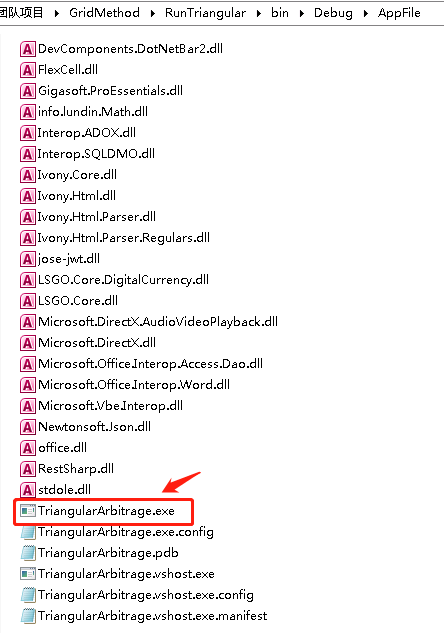
技术图文:进一步完善自动化交易系统 - 04
背景 我们在 数字资产量化中的三角套利策略 这篇图文中详细的介绍了三角套利的原理以及代码实现。 在 进一步完善自动化交易系统 - 02 和 进一步完善自动化交易系统 - 03 中利用配置文件的方法,扩充至七个三角套利模型。 现在的问题是需要把应用程序和配置文件分别…
如何成为Android开发高手
(copy来的) 计划按这个步骤去学习很多Android开发者已经度过了初级、中级,如何成为一个Android高手呢? Android123就各个级别的程序员应该掌握哪些内容作为下面分类。 一、初级 1. 拥有娴熟的Java基础,理解设计模式,比如OOP语言的工厂模式要…
哪些物联网应用最适合采用雾计算?
有时在做出判断时真的是要靠自己,让别人为你指出方向是不可行的。 许多物联网系统所面临的情景与此相同。集中处理大量传感器数据会减慢决策,并增加带宽需求。而做出明智的决策最好靠近源头。 哪些决策应该靠近网络边缘,哪些应该靠近中心&…

学习web前端你必须要了解的主流框架!
如今的前端已经不再像以前一样就是简单的写写页面和调调样式而已,现在的前端越来越复杂,知识点越来越丰富。 要做WEB前端,就需要知道前端到底是什么,需要学习那些知识;前端至少要懂的三个部分:HTML,CSS&…

技术图文:如何实现汉诺塔问题?
背景 最近在辅导小孩们学习编程,在介绍函数递归时,最典型的就是汉诺塔问题了。 我在这里总结一下,以方便大家的学习。 汉诺塔问题源于印度一个古老传说的益智玩具。大梵天创造世界的时候做了三根金刚石柱子,在一根柱子上从下往上…
Unity----Scene加载问题
Unity官方提供了4种加载场景(scene)的方法,分别是: 1. Application.LoadLevel():同步加载 2. Application.LoadLevelAsync():异步加载 3. Application.LoadLevelAddictive():同步附加式加载 4. Application.LoadLevelA…

基于Google Reader的个人知识管理方案
来源月光博客:http://www.williamlong.info/archives/2172.html. 先前我写的《基于Dropbox的个人知识管理平台》讲述了使用Dropbox在个人知识管理的保存知识方面的技巧,而个人知识管理的另一个重要环节是获取知识,今天月光博客就介绍一下如何通过Google …

学习java一定会用到的应用软件
想要成为一名合格的java程序猿,基础知识一定是要非常牢固的,扎实的基本功不仅可以快速的吸收新的知识,也会避开一些基本的语法错误,为了帮助程序员们减少一点工作压力,小编在此汇总了一些各大网络平台上推荐的程序员必…
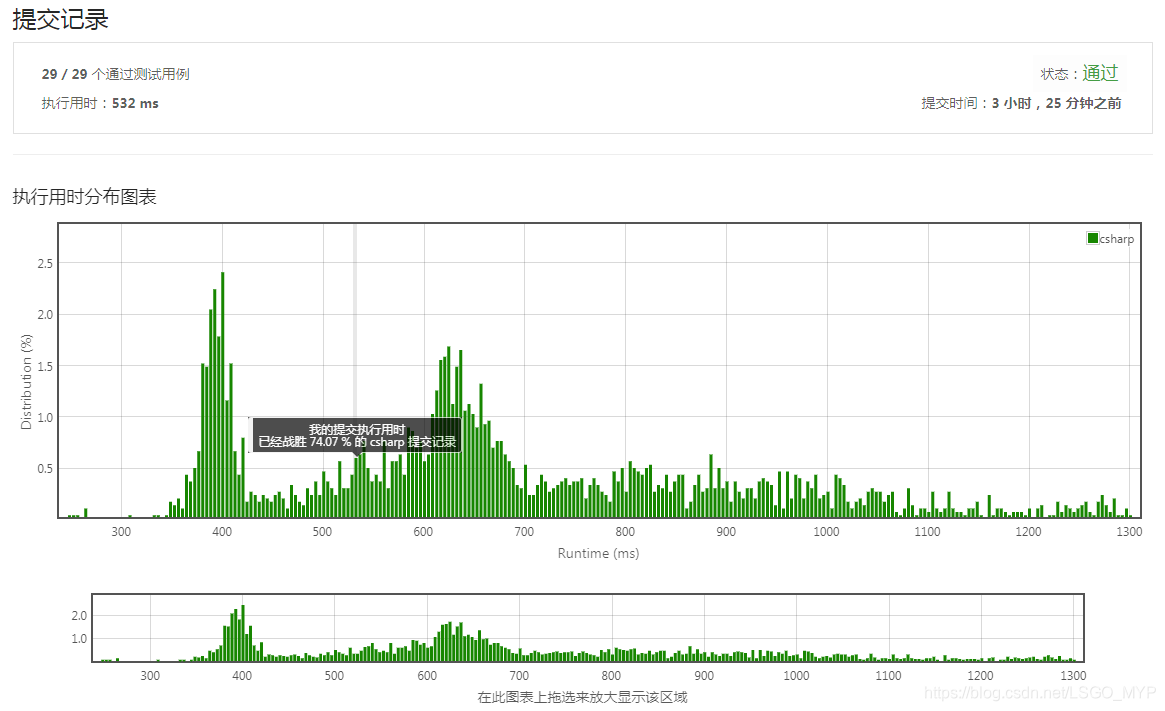
LeetCode实战:两数之和
题目英文 Given an array of integers, return indices of the two numbers such that they add up to a specific target. You may assume that each input would have exactly one solution, and you may not use the same element twice. Example: Given nums [2, 7, 1…
忘记mysql 密码的取回方法
如果 MySQL 正在运行,首先杀之: killall -TERM mysqld(如果是windows,直接调出进程管理器,结束之) 以安全模式启动 MySQL :/usr/bin/safe_mysqld --skip-grant-tables & (windows 下 mysql安装所以盘/mysql/bin/safe_mysqld --skip-grant…

《社交网站界面设计(原书第2版)》——2.13 不要中断电子邮件
2.13 不要中断电子邮件 如果你将电子邮件作为广播媒介(例如,发送提醒或通知)却不让用户回复他们收到的消息,就比较差劲了。你也没理由不处理这些回复,你可以把这些回复当作通知转发给正确的收件人。这需要你在方便沟通…

学习Python遇到的热门问题整理
什么是Python?它可以做什么用?学习Python还是java?哪个比较好?Python适用于哪些场景?关于python,你是不是还有很多问题?那今天小编就来给大家答疑解惑了,给大家整理了学习Python遇到的热门问题,看完这篇文章,你会对Python有…
WinRM设置信任主机
启动https需要证书,所以只能用信任主机的方式。适应没有域的环境。 enable-psremoting winrm s winrm/config/client {TrustedHosts"XXX.XXX.XXX.XXX"} 转载于:https://www.cnblogs.com/flysoft/archive/2011/03/12/1982494.html
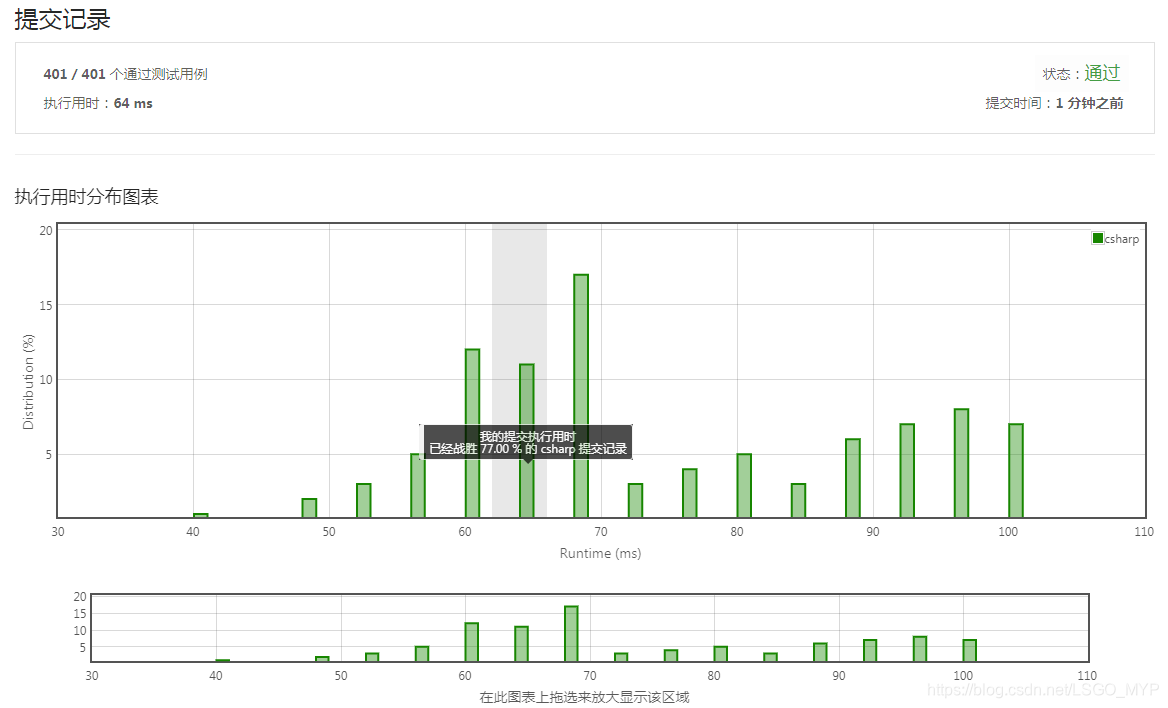
LeetCode实战:快乐数
题目英文 Write an algorithm to determine if a number is “happy”. A happy number is a number defined by the following process: Starting with any positive integer, replace the number by the sum of the squares of its digits, and repeat the process until t…

idea的优秀博客推荐
2019独角兽企业重金招聘Python工程师标准>>> http://blog.csdn.net/qq_27093465/article/details/63683873 http://www.cnblogs.com/whc321/p/5669804.html 转载于:https://my.oschina.net/u/3621360/blog/1528716

花钱参加UI设计培训值得吗?
最近有很多人都想要学习UI设计,大家都比较看好UI设计行业的好前景,高薪资,那么花钱参加UI设计培训值得吗?这是目前很多人都比较关心的问题,下面小编就为大家做下详细的介绍。 花钱参加UI设计培训值得吗?对于零基础或者转行的人…

零基础自学用Python 3开发网络爬虫(一)
原文出处: Jecvay Notes (Jecvay) 由于本学期好多神都选了Cisco网络课, 而我这等弱渣没选, 去蹭了一节发现讲的内容虽然我不懂但是还是无爱. 我想既然都本科就出来工作还是按照自己爱好来点技能吧, 于是我就不去了. 一个人在宿舍没有点计划…
用什么心态对待水平糟糕的程序员[不靠谱的程序员、思路紊乱的程序员]?
这些年遇到了很多糟糕的程序员,其实真正是写程序料的人,普通IT公司大概只占1/3左右吧,其实有2/3的人都太适合当程序员,还不如早点儿改行该干啥就干啥了,其中有1/10的人往往是相对比较糟糕的。 01:招聘时&am…
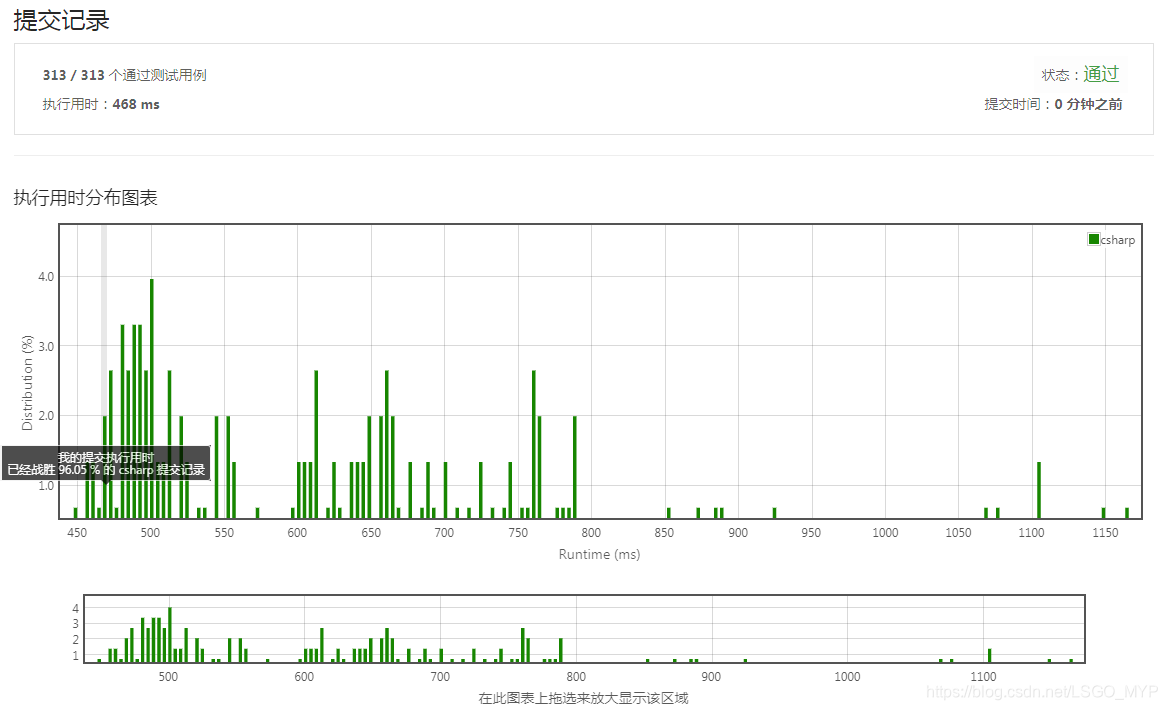
LeetCode实战:三数之和
题目英文 Given an array nums of n integers, are there elements a, b, c in nums such that a b c 0? Find all unique triplets in the array which gives the sum of zero. Note: The solution set must not contain duplicate triplets. Example: Given array n…

女生做软件测试需要学习什么技术?
软件测试在近几年的发展前景是非常好的,加上软件测试对于想要零转型的学员来说是在合适不过的,有很多女性也开始学习软件测试,目前大家都比较关心女生做软件测试需要学习什么技术呢?下面我们就来看看详细的介绍。 女生做软件测试需要学习什么…

一、Axis2 WebService开发准备工作
上次介绍了axis1.x的用法,这次继续上次的,将叙述axis2的用法。 Axis1.x在线博文:http://www.cnblogs.com/hoojo/archive/2010/12/20/1911349.html 1、开发准备 首先需要下载axis2的相关jar包,到axis的官方网站即可获得开发的依赖包…

LeetCode实战:求众数
题目英文 Given an array of size n, find the majority element. The majority element is the element that appears more than ⌊ n/2 ⌋ times. You may assume that the array is non-empty and the majority element always exist in the array. Example 1: Input: […
oracle数据库导入导出
2019独角兽企业重金招聘Python工程师标准>>> 1、利用 sqlplus 登录数据库之后 键入: 文件名 全路径 即可执行*.sql 文件 例 假设有一个 test.sql 文件 所在路径是/home/oracle/ 现在要执行它 1 登录数据库 sqlplus system/m…